
Hardware solution

Accessories — Stands, Docks, and Mounting

Put Square checkout where customers and staff need it

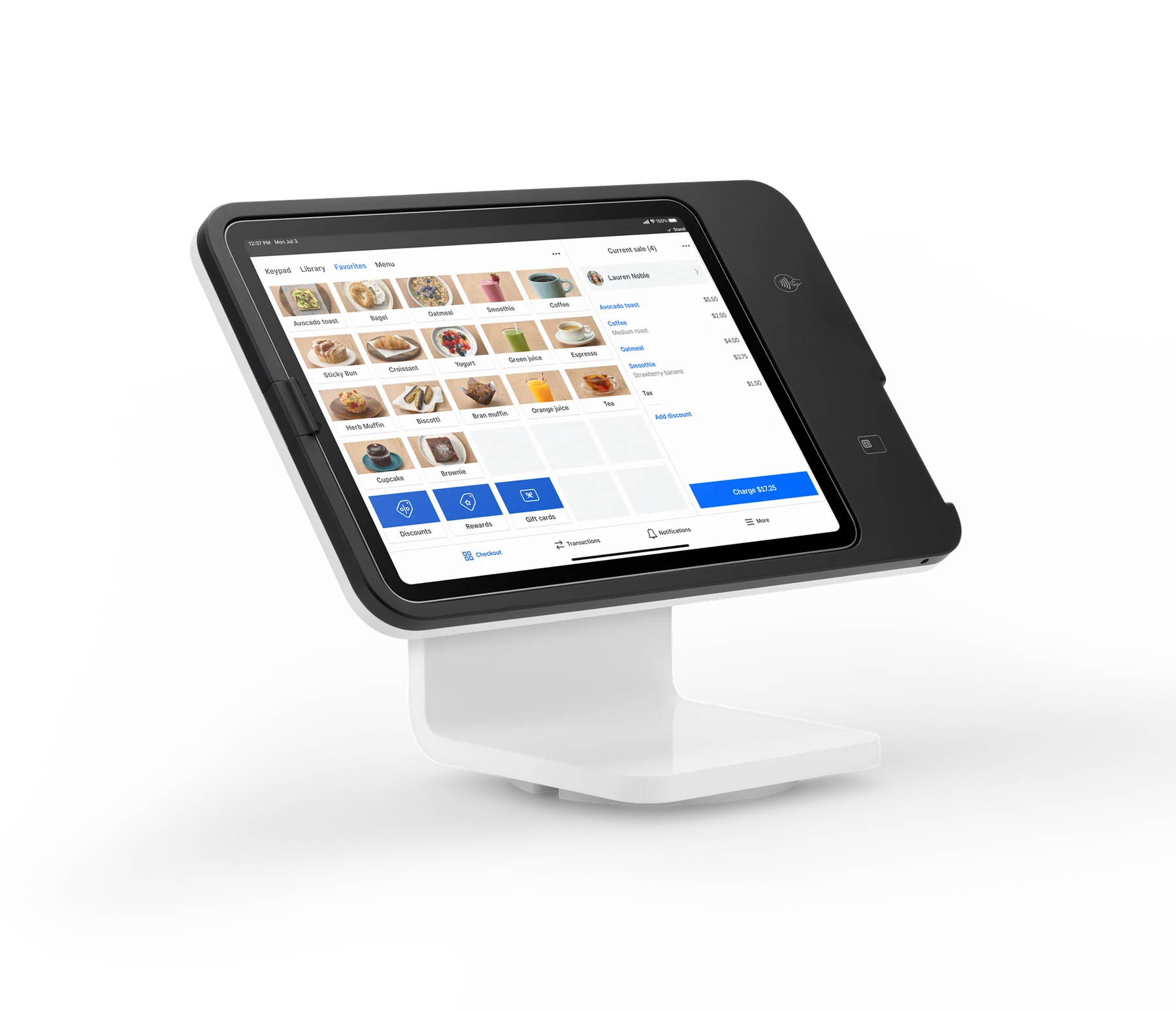
Square’s U.S. stands, docks, and mounting accessories turn a payment device into a checkout station that fits the way a business actually works. Use Square Stand on a counter, wall, or compatible VESA system; dock a Square Reader for a stable, charged handoff; or add a floor or wall mount to place self-service ordering in the customer flow.

Built for your day-to-day

How it fits your business

The right choice depends on the Square hardware generation, the iPad or kiosk model, available power, network, and whether the setup runs Square Point of Sale or kiosk software. Square lists these accessories in its U.S. shop, but prices and availability vary by model and can change.

Key capabilities

What you can do

  • Choose a countertop, wall, or floor position

    Square Stand supports countertop, angled-wall, flat-wall, and 100 x 100 mm VESA mounting approaches. A compatible third-party floor stand or swing arm can be purchased separately, while Square Kiosk has counter, wall, floor, and VESA options.

  • Keep a mobile reader ready at the counter

    The Bosstab Dock for Square Reader holds Square Reader for contactless and chip (1st or 2nd generation) for a more stable countertop payment position. The older Dock for Square Reader is no longer sold and only works with the 1st-generation reader.

  • Make space and cable management part of the setup

    Mounting can free counter space and place a screen at a useful customer angle. Square Stand’s hub supports power and, with a compatible adapter, Ethernet; Square Kiosk supports Wi-Fi or wired Ethernet and hides cords in its finished installation options.

  • Match the mount to the service model

    A countertop Square Stand suits staff-led checkout, a wall or floor mount can position an iPad for self-ordering, and Square Kiosk is the purpose-built 21.5-inch option for high-volume restaurant self-service. The accessory does not replace the required POS or kiosk software.

Explore the details

Product details

Compatibility comes before installation

Confirm the exact hardware generation before ordering. Square Stand (2nd generation) requires a verified Square account, a compatible iPad, a consistent power source, and secure Wi-Fi or Ethernet; Ethernet may require an adapter. Square’s compatibility guidance is device-specific. Square Stand’s current USB-C page lists compatible iPad Pro 11-inch (1st–4th generation), iPad Air (4th and 5th generation), and iPad Air 11-inch (M2 and M3) examples, with the linked compatibility page remaining the final check. Square hardware is approved for the country for which it is intended.
Software and connectivity limitations

Square Stand can run Square Point of Sale or Square Kiosk Lite. When Square Stand runs Kiosk Lite, it cannot connect directly to external accessories over Bluetooth, USB, or Ethernet. New Square Kiosk requires an active Square Plus or Premium subscription; it is currently U.S.-only and English-only. Kiosk kitchen, receipt, or display accessories may require connection through Square POS hardware rather than directly to the kiosk.

Published U.S. price examples

The accessory catalog currently shows the Bosstab Floor Stand for Square Stand (Mount) at $299, the Square Kiosk Wall Mount at $99, and the Square Kiosk Floor Stand at $299 in the U.S. shop search results. Square Stand itself is a separate $149 hardware system; Square Kiosk is $1,999 with counter stand, with total hardware price varying by stand type. Treat these as model-specific prices, not a single category price, and recheck the linked shop page before publishing a quote.

This is a multi-product accessory category rather than one purchasable unit. Current U.S. examples are $299 for the Bosstab Floor Stand for Square Stand (Mount), $99 for the Square Kiosk Wall Mount, and $299 for the Square Kiosk Floor Stand. Square Stand and Square Kiosk are separate systems priced at $149 and $1,999 with counter stand, respectively. Square Kiosk software requires Square Plus or Premium; Square Stand can use free Square Point of Sale.

Fees & eligibility

  • Square Free in-person processing

    U.S. published rate for card-present payments; applies to the payment service, not to the mount or dock.

    2.6% + $0.15 per tap, dip, or swipe
  • Square Plus in-person processing

    U.S. published rate; plan subscription applies separately.

    2.5% + $0.15 per tap, dip, or swipe
  • Square Premium in-person processing

    U.S. published rate; plan subscription applies separately.

    2.4% + $0.15 per tap, dip, or swipe
  • Afterpay

    U.S. published rate for Afterpay transactions; eligibility and acceptance terms apply.

    6% + $0.30 per Afterpay transaction

Requirements

  • For Square Stand (2nd generation): a verified Square account, compatible iPad, reliable power, and secure Wi-Fi or Ethernet; Ethernet may require an adapter.
  • For Square Kiosk: active Square Plus or Premium subscription; current U.S.-only and English-only availability.
  • Check exact reader, Stand, iPad, Kiosk, mount, and accessory generation compatibility before ordering.
  • Square’s financing installment offers are subject to credit approval, state availability, purchase limits, APR, and other published terms; they are not a subscription price.
  • Hardware is approved for use in the country for which it is intended.

The category page confirms Stands, Docks, and Mounting as a U.S. Square Shop category, but it does not expose one category-wide price; prices above are model-specific official U.S. listings.

Square Stand and Square Kiosk are distinct products. Square Stand can use Square Point of Sale or Square Kiosk Lite; new Square Kiosk requires Square Plus or Premium.

When using Square Kiosk Lite on Square Stand, direct Bluetooth, USB, and Ethernet connections to external accessories are not supported.

Square Reader dock compatibility is generation-specific: the current Bosstab Dock supports 1st- and 2nd-generation readers, while the older dock is discontinued and 1st-generation only.

Processing rates and hardware availability can change; confirm the linked U.S. Square page at purchase.

Questions

Frequently asked questions

Is there one price for Square stands, docks, and mounting accessories?

No. This is a product category. Official U.S. examples include a $299 Bosstab Floor Stand for Square Stand (Mount), a $99 Square Kiosk Wall Mount, and a $299 Square Kiosk Floor Stand. The applicable price depends on the device and mount selected.

Can I use any dock with a Square Reader?

No. The current Bosstab Dock is for Square Reader for contactless and chip (1st and 2nd generation). The original Dock for Square Reader is no longer sold and only works with the 1st-generation reader. Confirm the reader generation before buying.

What does a mounted Square Stand need to work?

Square Stand needs a verified Square account, a compatible iPad, reliable power, and secure Wi-Fi or Ethernet. A compatible Ethernet adapter may be needed. Square Stand can run Square Point of Sale or Square Kiosk Lite, but Kiosk Lite prevents direct external-accessory connections over Bluetooth, USB, or Ethernet.

Sources & product information

Ready when you are

Talk through the options for your business.