
Software solution

Square Invoices

Turn approved work into paid, trackable invoices

Square Invoices gives U.S. service businesses a practical path from estimate to deposit to final payment. Create unlimited digital invoices and recurring series, send them by email, text, or shareable link, and let customers pay by card, wallet, ACH bank transfer, Cash App Pay, or eligible Afterpay.

Built for your day-to-day

How it fits your business

You can request deposits, schedule milestone payments, automate reminders, save a card for future billing, and monitor unpaid or overdue work from Square Dashboard or supported mobile apps. The free tier keeps the entry cost low; paid plans add tools such as batch invoices, custom templates, payment schedules, and capped ACH fees. It is a strong fit for cleaners, contractors, landscapers, automotive shops, and professional-service firms that need a payment trail tied to each job.

Key capabilities

What you can do

  • Invoice from the office or the job site

    Create, send, and manage invoices from Square Dashboard, the Square Invoices app, or Square Point of Sale on a supported mobile device. Email, SMS, or share a payment link so a customer can act without visiting your storefront.

  • Keep recurring work on schedule

    Set recurring invoices to run daily, weekly, monthly, or yearly, add automatic reminders, and let customers opt into card-on-file billing. This is useful for cleaning routes, maintenance retainers, memberships, and other repeat services.

  • Offer lower-cost ACH alongside cards

    Invoice customers can pay by ACH bank transfer at 1% with a $1 minimum. Square Plus and Premium cap the invoice ACH fee at $10; sellers with Square Checking may pay $0 processing fees for those ACH transactions, subject to Square's terms and eligibility.

  • Connect scope, approval, and billing

    Build itemized estimates with quantities, notes, attachments, discounts, and pricing, then convert accepted work into an invoice. Eligible paid plans can automate that conversion; paid plans also add deposits, payment schedules, batch invoices, and custom fields or templates.

  • See what is paid before cash flow gets tight

    Track paid, unpaid, and overdue invoices, send reminders, issue receipts, and keep customer details in Square Customer Directory. Invoices can also connect with QuickBooks Online and Xero through Square integrations.

Explore the details

Product details

Plans, payments, and the real cost of getting paid

Square Free is $0 per month per location and includes invoices and recurring invoices, estimates and contracts, and project tools; Square Plus is $49 per month per location and Premium is $149 per month per location. Plus and Premium offer a 30-day free trial and can be canceled or switched. For invoice card payments, published rates are 3.3% + $0.30 on Free and 2.9% + $0.30 on Plus or Premium. Manual entry or card-on-file payments are 3.5% + $0.15, Afterpay is 6% + $0.30, and cash or check is free to record because Square does not process those funds. International cards add 1.5%. Rates can vary by plan and payment type.
Built for service work, not every transaction

Square's official estimating workflow specifically names contractors, electricians, HVAC businesses, cleaning services, home repair, automotive, professional services, and other custom-job sellers. Square also documents restrictions for illegal or infringing products, federally illegal marijuana-related activity, certain card-not-present sales of age-restricted goods, self-payments, suspicious activity, and businesses unable to fulfill customer obligations. Account owners must verify identity and business information and link a verified bank account before the first transfer.

Important workflow limits

Afterpay cannot be used for recurring invoices or payment schedules. Offline payments are not available in the Square Invoices app or Square Point of Sale services mode. Cash, check, gift-card, and other tender entries marked as paid are tracking records rather than Square-processed deposits. Text-delivered invoices do not support automatic reminders or additional recipients. Invoice inventory adjusts and sales reporting posts when the entire invoice is paid, not when a deposit is collected.

Square Invoices can be sent for free on Square Free; Square Plus and Premium add advanced invoicing and service-work features for a monthly fee per location. Customers can pay online by card or wallet, ACH, Cash App Pay, or eligible Afterpay, and can also pay in person when the seller uses compatible Square hardware or a supported payment app.

Upfront hardware (USD)$299
Monthly software (USD)$0

Fees & eligibility

  • Square Free monthly software

    Free plan; processing fees apply when a payment is processed.

    $0/mo. per location
  • Square Plus monthly software

    Published U.S. price; 30-day free trial is advertised; plan can be canceled or switched.

    $49/mo. per location
  • Square Premium monthly software

    Published U.S. price; 30-day free trial is advertised; plan can be canceled or switched.

    $149/mo. per location
  • Online card payment through an invoice

    Card payments made online or through an invoice; published U.S. plan rates.

    3.3% + $0.30 Free; 2.9% + $0.30 Plus or Premium
  • ACH bank transfer via invoice

    Invoice ACH payment; Square Checking sellers may have $0 processing fees, subject to eligibility.

    1%, $1 minimum; Plus and Premium $10 fee cap
  • Manual entry or card on file

    Card number manually entered or saved card on file is charged.

    3.5% + $0.15
  • Afterpay invoice payment

    Eligible Afterpay transactions; Afterpay does not support recurring invoices or payment schedules.

    6% + $0.30
  • Square Reader for contactless and chip

    U.S. 2nd-generation reader; in-person processing is published at 2.6% + $0.15 per payment.

    $59 one-time hardware price
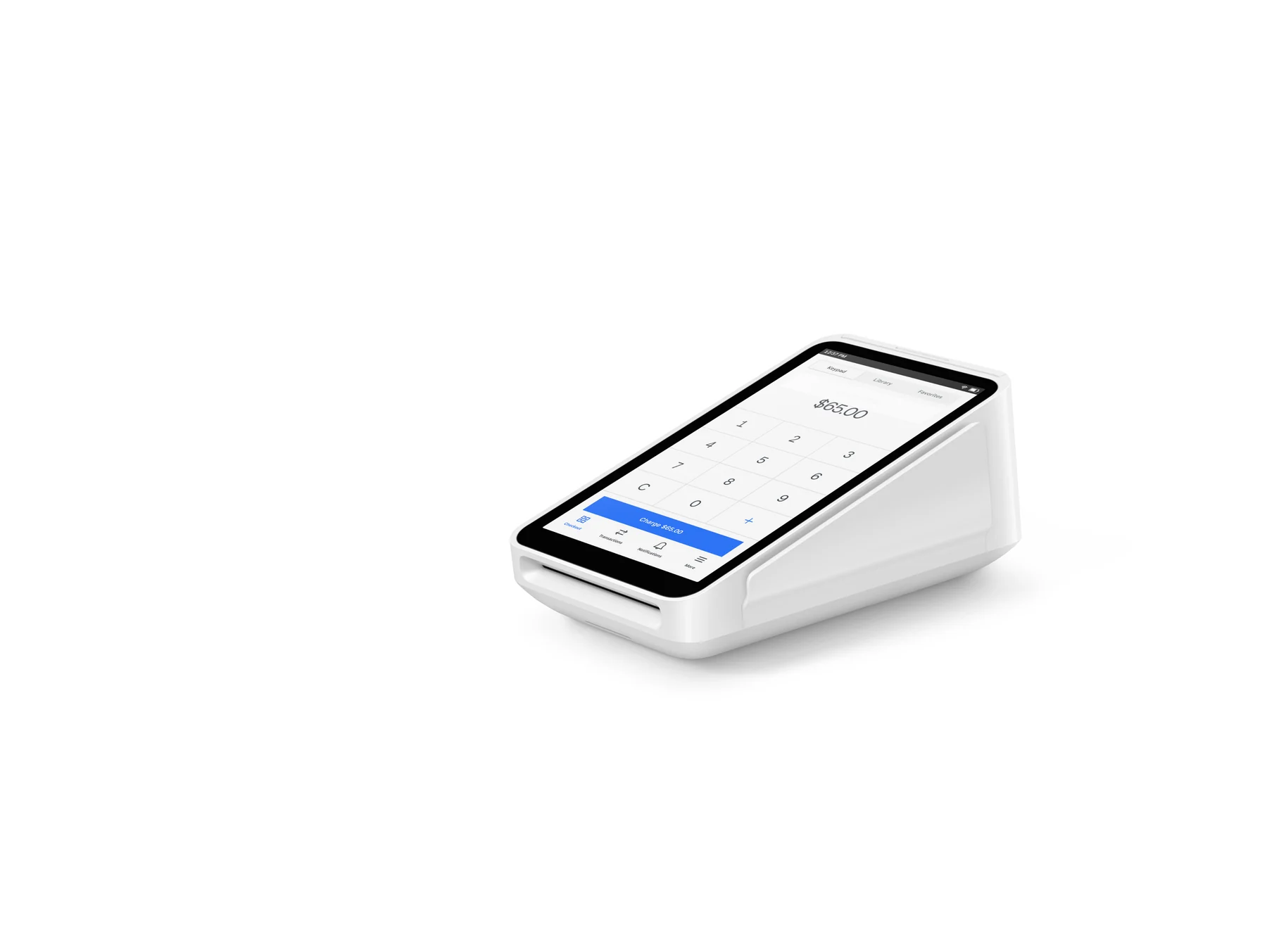
  • Square Terminal

    Before taxes and fees; financing is subject to credit approval and stated state/purchase restrictions.

    $299 one-time hardware price or $27/mo. for 12 months
  • Instant transfer

    Requires a linked bank account or supported debit card; transfer limits and new-seller limits apply.

    1.5% per transfer

Requirements

  • A Square account owner must provide personal and business information for identity and business verification.
  • A verified bank account is required before the first transfer from Square.
  • Invoice creation and management require Square Dashboard, the Square Invoices app, or Square Point of Sale with a supported mobile device; team members need invoice permissions.
  • A compatible internet-connected device or Square hardware is needed for in-person card collection; offline invoice payments are not supported in the Invoices app or POS services mode.
  • Eligibility for payment methods such as Afterpay, manual ACH bank-account entry, Square Checking fee treatment, and custom pricing is determined by Square and may vary by account, transaction, or location.

Pricing and fees were verified on official Square U.S. pages on 2026-10-27 and can change; display the transaction type and plan beside any rate.

Square Plus and Premium prices apply per location, while invoice processing fees depend on plan and payment method.

Square Terminal financing is not a cash price and is subject to credit approval, state availability, purchase limits, APR, and taxes; the $299 figure is before taxes and fees.

ACH, Afterpay, Cash App Pay, card-on-file, and Square Checking features have account, buyer, transaction, or location eligibility conditions.

Square may restrict, hold transfers, or deactivate accounts when verification is incomplete, activity appears suspicious, or the business violates Square terms or supported-business rules.

Square does not support multi-currency acceptance according to the U.S. Invoices product FAQ.

Cash, check, gift-card, and other tender entries may be recorded for tracking but do not create a Square deposit.

Questions

Frequently asked questions

Can a small business start with Square Invoices without a monthly subscription?

Yes. Square Free is listed at $0 per month per location, and Square says invoices and recurring invoices can be sent without a monthly subscription. Processing fees apply when customers pay through Square.

Which payments can a customer use on a Square invoice?

Square's U.S. invoice workflow can offer credit or debit cards, Apple Pay or Google Pay, Cash App Pay, ACH bank transfer, eligible Afterpay, and Square gift cards. A seller can also record cash or check, but Square does not process those funds as a deposit.

Can Square Invoices bill a recurring customer automatically?

Yes. Sellers can schedule recurring invoices daily, weekly, monthly, or yearly and allow a customer to save a card for automatic payment. Afterpay cannot be used for recurring invoices, and offline payments are not supported in the Invoices app or POS services mode.

Sources & product information

Ready when you are

Talk through the options for your business.